
A print business can accept an order in seconds and still lose margin for days afterward if artwork, approvals, pricing, and production files move through separate systems. That is the practical difference behind print on demand vs web to print: one is primarily a fulfillment model, while the other is a digital ordering and production workflow.
For manufacturers, brands, and retailers selling personalized packaging, workwear, signage, labels, promotional goods, or configurable printed products, choosing between them is not just a channel decision. It determines who controls the buying experience, how reliably orders reach production, and whether growth creates efficiency or more manual exceptions.
What is the difference between print on demand and web to print?
Print on demand produces an item only after someone places an order. Web to print gives buyers an online environment to select, personalize, approve, and submit a print order. They can work together, but they solve different problems.
Print on demand, often called POD, is designed around low inventory risk. A supplier prints a T-shirt, poster, book, or other item after demand is confirmed. It is especially useful for businesses testing designs, selling long-tail assortments, or avoiding upfront stock commitments.
Web to print is designed around order capture and production control. A customer may choose a product, upload artwork, edit a template, select print specifications, view a proof, and place the order through a branded storefront or B2B portal. The order can then flow into prepress, an ERP, a management information system, or production equipment.
McKinsey reported that 71% of consumers expect personalized interactions from companies. For print sellers, that expectation makes the front-end experience commercially relevant, not merely a service feature. The key question is whether personalization creates a production-ready order or creates another file for a team to inspect manually.
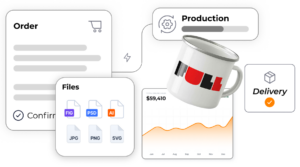
Where does each model create value?
POD creates value by reducing inventory exposure. Web to print creates value by making variable orders easier to sell, price, approve, and produce at scale. A business can operate both: web to print can capture a branded order, while a POD partner fulfills it after purchase.
| Decision area | Print on demand | Web to print |
|---|---|---|
| Primary purpose | Produce after an order is placed, reducing inventory commitment. | Let customers configure and order print products online. |
| Typical buyer | Creator, retailer, or brand adding sellable merchandise. | B2B buyer, franchisee, procurement team, or end customer ordering variable print. |
| Core operational focus | Supplier fulfillment capacity, unit economics, and shipping. | Product rules, artwork validation, pricing, proofing, and production handoff. |
| Best fit | Standard products with a limited set of design variables. | Complex catalogs with templates, options, approvals, and repeatable specifications. |
| Main limitation | The seller may have limited control over configuration and customer experience. | The business still needs a production or fulfillment model behind the ordering layer. |
The distinction matters most when products have rules. A branded workwear order may need logo placement, garment color restrictions, department-specific budgets, size availability, and embroidery or print method selection. POD can fulfill the item. Web to print manages the decision logic that prevents an invalid order from reaching the shop floor.
When is print on demand the right commercial model?
Print on demand is the better choice when demand is uncertain, the product is relatively standardized, and fulfillment speed matters more than deep configuration. It keeps capital out of slow-moving stock and lets brands expand assortment without buying inventory first.
This model is often effective for art prints, books, basic branded merchandise, and campaign-led apparel. It also supports retail businesses that want to add printed goods without operating their own print production. The trade-off is that unit costs are usually higher than volume production, and the brand may have less control over materials, packaging, lead times, and customer data.
POD becomes less suitable when a sale requires a quote, conditional pricing, technical validation, or multiple stakeholders. If a customer needs a custom trade-show display with variable dimensions, substrates, finishing options, and shipping constraints, the hard part is not waiting to print. The hard part is capturing a valid specification before production begins.
Across published Expivi case studies, customers have achieved a 40% increase in average order value. That outcome is relevant here because guided configuration can turn compatible options and upgrades into visible, purchasable choices instead of items buried in a sales rep’s quote.
When does web to print need more than a template editor?
Web to print needs more than a template editor when the product has dependencies that affect price, feasibility, visuals, or manufacturing instructions. A template editor can personalize a business card. It cannot reliably govern every rule in a configurable printed product catalog.
For senior teams, the test is simple: can the ordering interface answer every production-critical question without requiring an email, spreadsheet, or prepress correction? If not, the workflow needs connected product logic.
A mature web-to-print workflow should control four areas:
- Product logic: Only compatible materials, sizes, finishes, artwork zones, and print methods can be selected.
- Commercial logic: Prices, volume breaks, account-specific terms, and quote rules update as the configuration changes.
- Visual validation: Buyers see an accurate representation or proof before submitting an order.
- Production output: The platform generates the files and structured specifications required by prepress and production.
This is where visual CPQ becomes relevant. CPQ connects configuration, pricing, and quoting, while a visual layer makes complex choices understandable before the buyer commits. For furniture, construction materials, sporting goods, and premium packaging, the same principle applies: a buyer should see the permitted outcome and receive the correct commercial price in the same workflow.
Published platform case studies report a 50% faster sales cycle when configuration and commercial rules are brought into the selling process. The gain is not caused by a prettier storefront. It comes from removing back-and-forth validation before a quote or order can advance.
How should web-to-print orders connect to production?
Web-to-print orders should connect directly to the systems that govern product data, inventory, pricing, and production. Sending a PDF by email is not integration. It is a manual handoff with a digital attachment.
A scalable architecture uses the PIM as the source for product attributes and assets, the ERP for operational and financial data, and the eCommerce platform for the transaction. Depending on the business, the order may also need to connect with a CMS, print MIS, workflow automation, or production information system.
Headless commerce is valuable because it separates the customer-facing experience from the operational services behind it. A configurator or web-to-print interface can be embedded in Shopify, Magento, SAP Commerce Cloud, Salesforce, or WooCommerce without forcing a company to replace its existing commerce stack.
The required handoff is more than an order number. Production should receive the selected options, artwork, print-ready files, pricing context, quantities, and any required routing or approval information. When that information is structured, teams can automate rather than interpret.
In published case studies, Expivi customers report a 100% reduction in sales-to-production errors. That is the benchmark worth targeting for products where a wrong material, placement, or file version leads to scrap, rework, delayed delivery, or an avoidable return.
Which model should B2B print sellers choose?
B2B print sellers should choose POD when the main business need is inventory-light fulfillment. They should choose web to print when the main need is controlled self-service ordering. They should combine the two when a digital ordering experience must trigger on-demand production.
The choice should follow the order complexity, not the label used by a vendor. Ask whether buyers need to configure technical options, whether prices vary by account or quantity, whether artwork requires validation, and whether production receives instructions automatically. The more often the answer is yes, the more web to print needs configuration and integration capabilities.
A useful operating model is to separate three layers. The commerce layer attracts and converts buyers. The configuration and CPQ layer governs what can be sold and at what price. The production layer creates and fulfills the order. Keeping those layers connected prevents businesses from forcing sales teams and production teams to become the integration layer.
For organizations that sell both standard merchandise and highly variable print products, this approach avoids a false choice. POD can remain the fulfillment engine for simple items, while configurable web-to-print journeys handle higher-value, higher-risk orders with stronger controls.
FAQ
Is web to print the same as print on demand?
No. Web to print is an online ordering workflow that helps customers select, personalize, approve, and submit printed products. Print on demand is a fulfillment model in which an item is produced after purchase. A web-to-print storefront can send orders to a POD supplier, but it can also route them to an internal print operation or a conventional production partner. The terms overlap in some commerce setups, but they describe different parts of the business process.
Can a web-to-print system support B2B pricing?
Yes, if the system supports commercial rules rather than only fixed retail pricing. B2B print sales often require customer-specific catalogs, contract prices, quantity breaks, minimum order quantities, approval thresholds, and quote workflows. A visual CPQ layer can calculate these rules as buyers configure their order. This reduces the need for sales teams to rebuild the same quote manually and gives procurement buyers a clearer route to compliant ordering.
What types of products are best for web to print?
Web to print works well for products with repeatable choices and variable artwork, including labels, packaging, business stationery, signage, promotional materials, workwear, and branded merchandise. It becomes particularly valuable when products have dependencies, such as substrate restrictions, print-area limits, finishing options, or account-specific brand templates. Simple products may only need an editor. Complex products need rules that stop invalid combinations before an order is submitted.
Does web to print require replacing an existing eCommerce platform?
No. A headless, API-first approach can add web-to-print and configuration capabilities within an existing commerce environment. Businesses commonly need to retain Shopify, Magento, SAP or WooCommerce because those platforms already manage customer accounts, catalogs, payments, and marketing operations. The requirement is not replacement. It is a reliable connection between the storefront, product data, pricing logic, and production systems.
How does web to print reduce production errors?
Web to print reduces errors when it validates choices before checkout and creates the correct production output automatically. The workflow can restrict invalid options, apply brand templates, collect required specifications, generate print-ready files, and pass structured order data to ERP or production systems. The result is fewer manual interpretations between sales and prepress. That control matters most when every mistake consumes material, labor, capacity, and customer trust.
The most profitable decision is not to ask which label sounds more modern. Map the points where an order changes hands, then choose the model that removes those handoffs. A 15-minute discovery call can help identify where configuration, pricing, and production data are breaking down today.